Case Study
DoDo
Minimalist AI productivity tracker with an intuitive interface
Minimalist AI productivity tracker with an intuitive interface
Role
Product Designer, UX Researcher
Timeline
Sep 2024 - Dec 2024
Industry
Productivity
Team
Solo Project
Case Study
DoDo
Minimalist AI productivity tracker with an intuitive interface
Role
Product Designer, UX Researcher
Timeline
Sep 2024 - Dec 2024
Industry
Productivity
Team
Solo Project
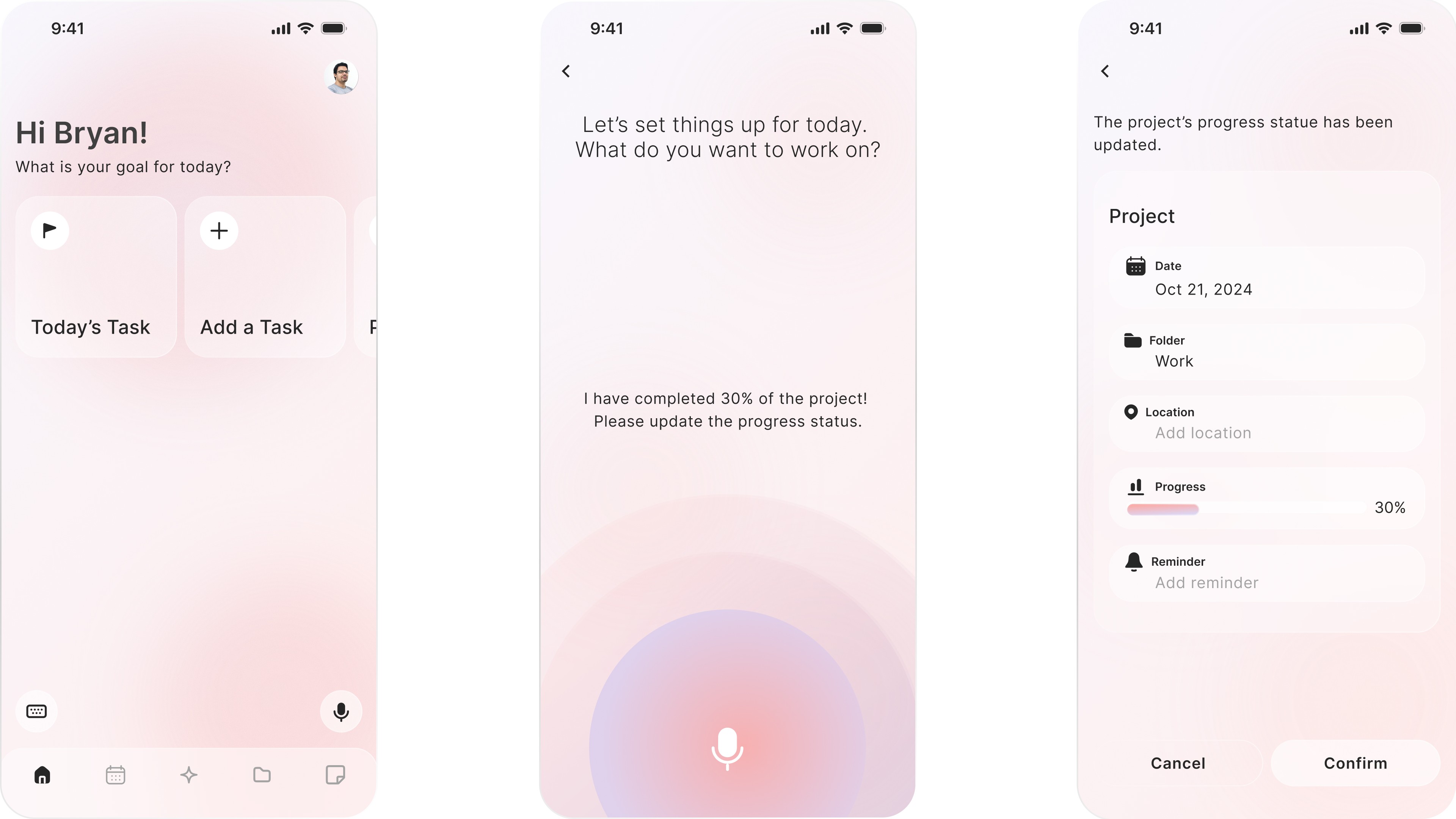
DoDo is an AI-powered task tracker designed to help users manage their tasks with ease. With a simple, intuitive design, DoDo adapts to diverse user needs, making task management efficient. The app supports personal growth and creativity, offering features that motivate users to achieve their goals effortlessly.
DoDo is an AI-powered task tracker designed to help users manage their tasks with ease. With a simple, intuitive design, DoDo adapts to diverse user needs, making task management efficient. The app supports personal growth and creativity, offering features that motivate users to achieve their goals effortlessly.
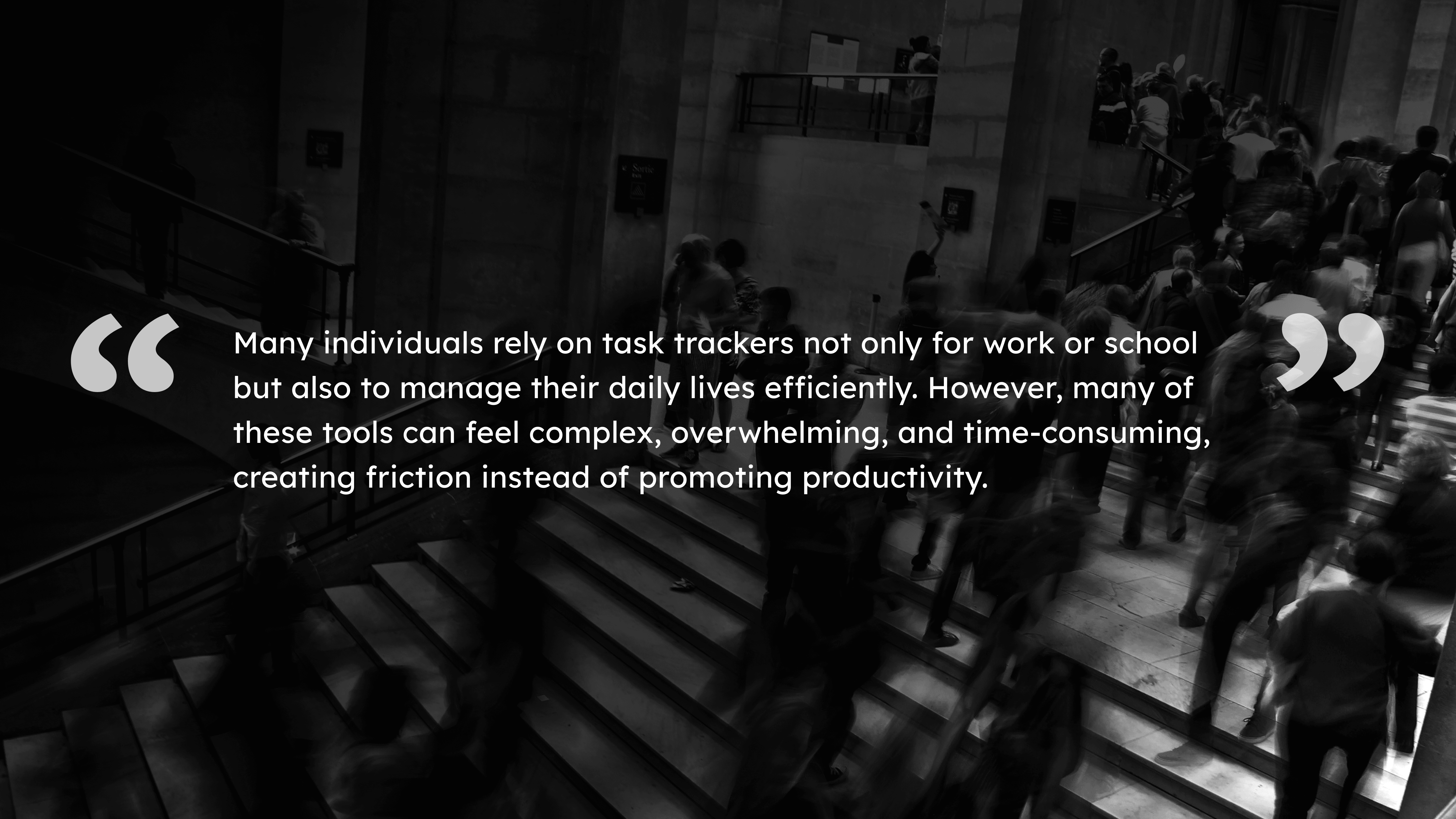
Many people rely on task trackers not only for work or school but also to manage their daily lives efficiently. These tools promise organization and productivity, yet for many users, they can feel overly complex, overwhelming, and time-consuming. Rather than supporting productivity, they often create friction, adding stress instead of reducing it. Users may abandon tasks, procrastinate, or feel anxious, even when they are motivated to stay organized.
This observation sparked my interest in understanding how task management technology could truly support users. I wanted to explore a design approach that reduces work load, encourages consistent engagement, and makes daily planning feel intuitive and stress-free.
“Productivity should feel empowering, not overwhelming.”
This perspective became the foundation for the Dodo Project, where I focused on designing a task tracker that simplifies daily life while promoting meaningful behavior change.
Many people rely on task trackers not only for work or school but also to manage their daily lives efficiently. These tools promise organization and productivity, yet for many users, they can feel overly complex, overwhelming, and time-consuming. Rather than supporting productivity, they often create friction, adding stress instead of reducing it. Users may abandon tasks, procrastinate, or feel anxious, even when they are motivated to stay organized.
This observation sparked my interest in understanding how task management technology could truly support users. I wanted to explore a design approach that reduces work load, encourages consistent engagement, and makes daily planning feel intuitive and stress-free.
“Productivity should feel empowering, not overwhelming.”
This perspective became the foundation for the Dodo Project, where I focused on designing a task tracker that simplifies daily life while promoting meaningful behavior change.
Solutions

User Interview
Qualitative Method
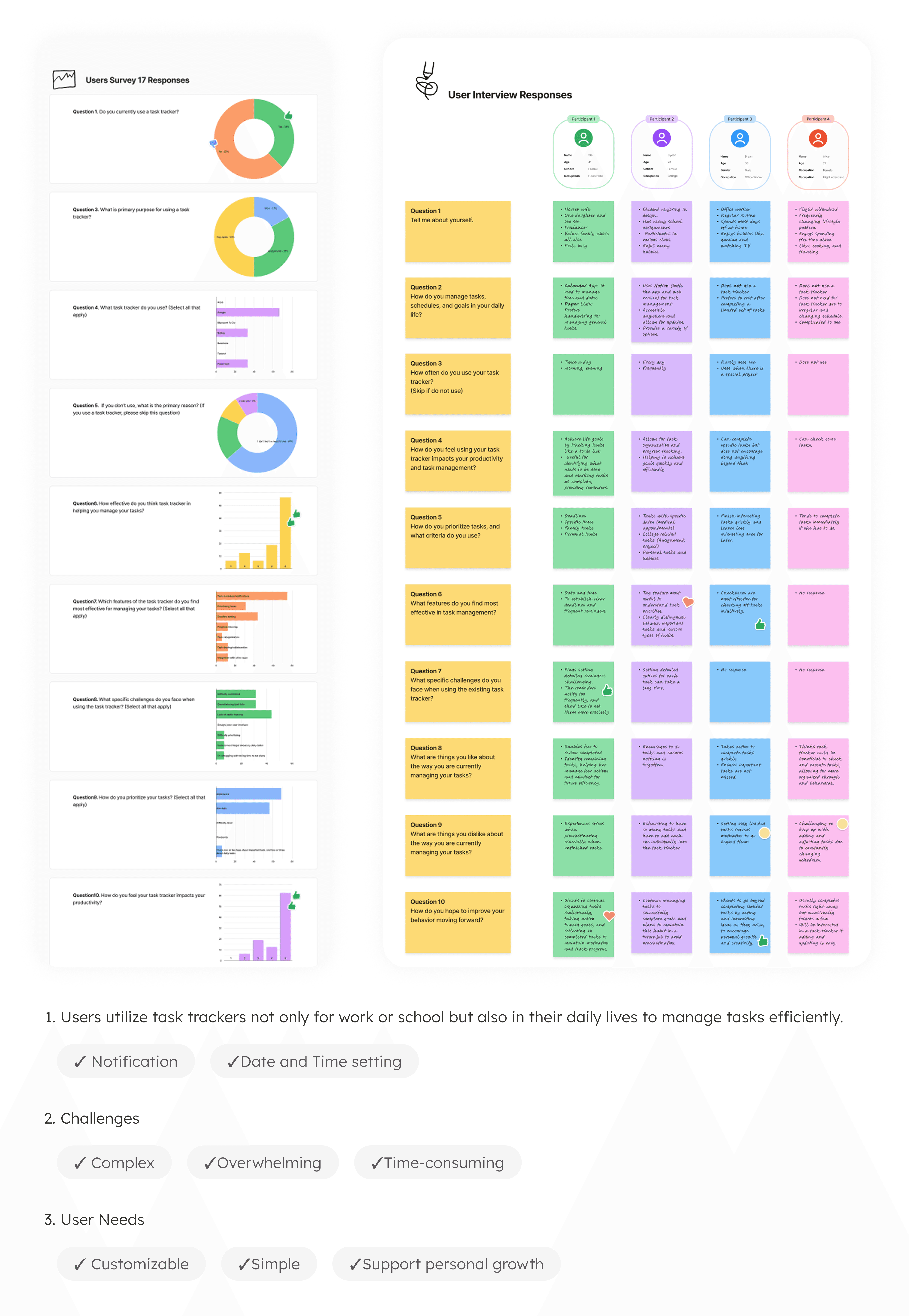
I conducted interviews with 4 participants to explore motivations, pain points, and behaviors related to task management.
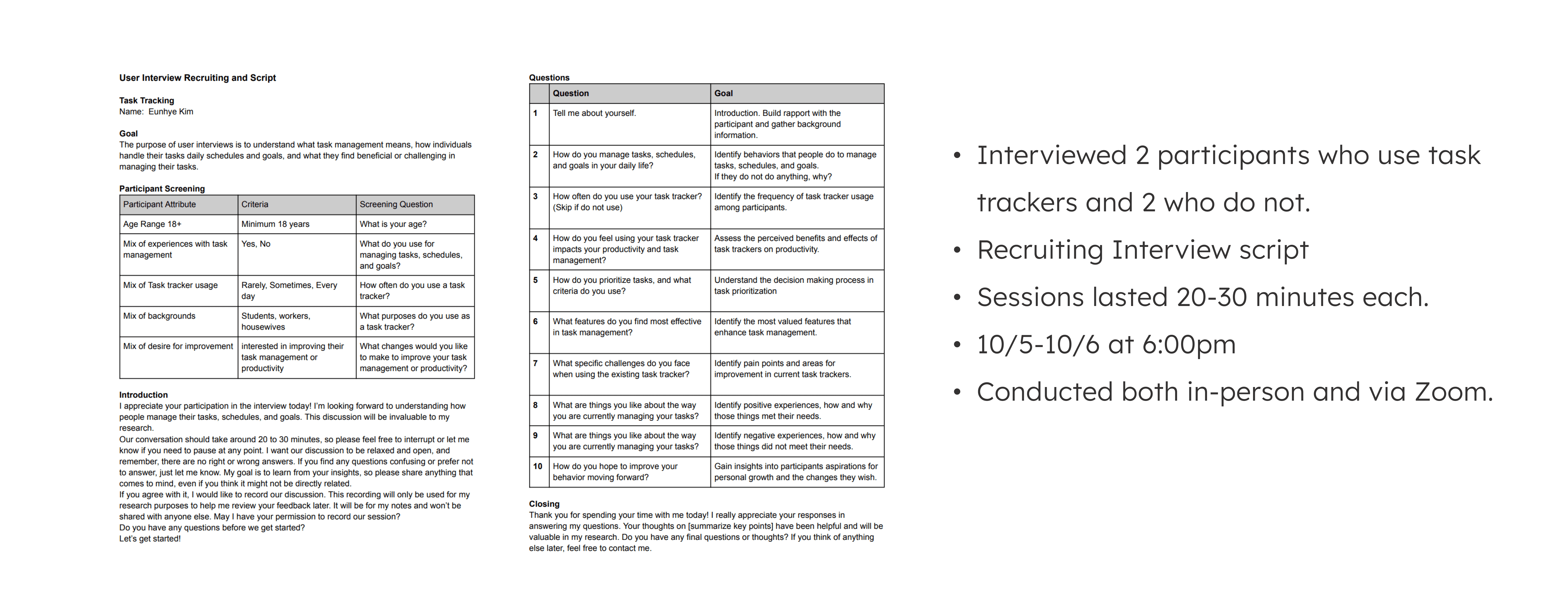
I conducted interviews with 4 participants to explore motivations, pain points, and behaviors related to task management.
User Survey
Quantitative Method
I distributed online a survey with 10 questions to gather insights from a diverse group about task tracking habits.
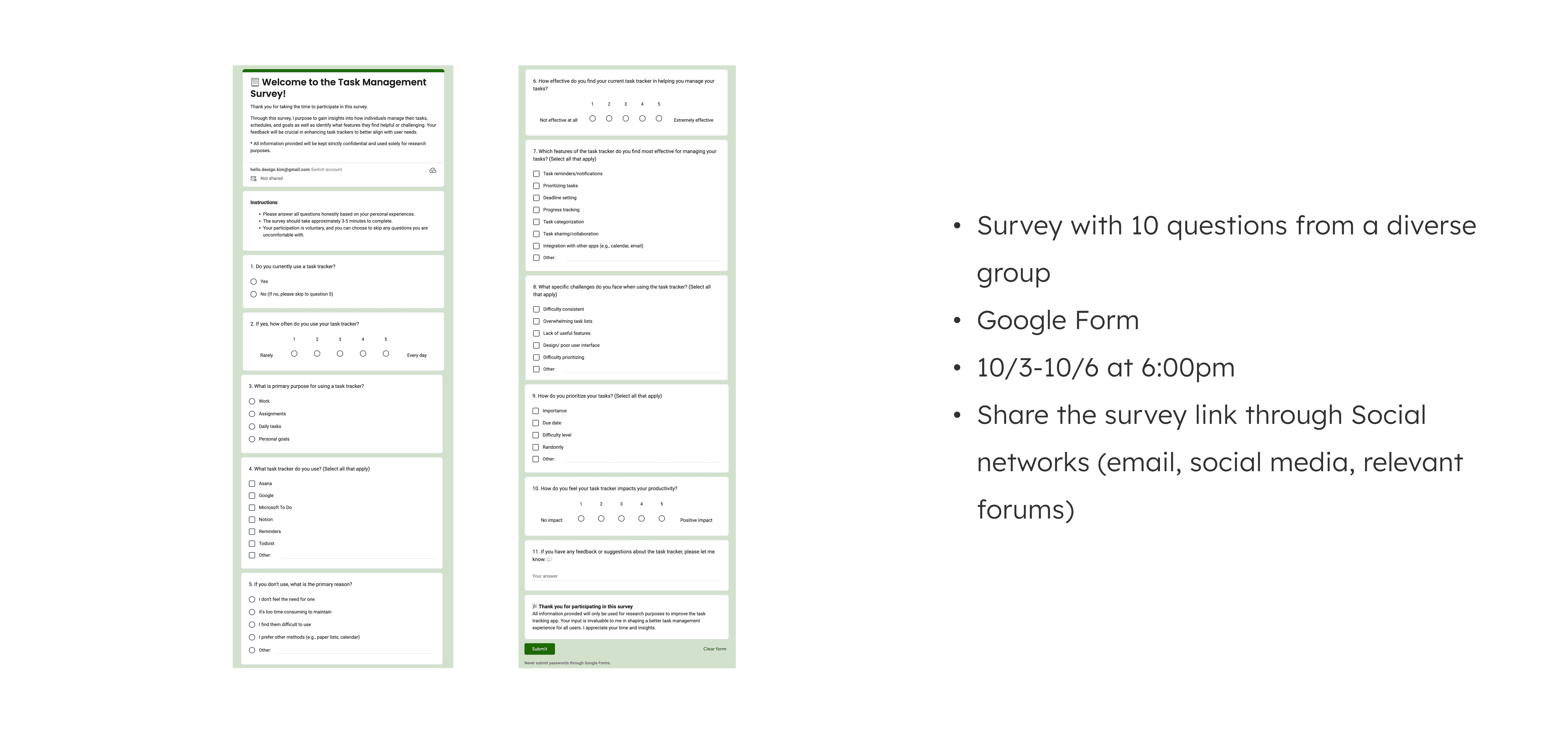
I distributed online a survey with 10 questions to gather insights from a diverse group about task tracking habits.
research
Results and Insights
Define
Persona
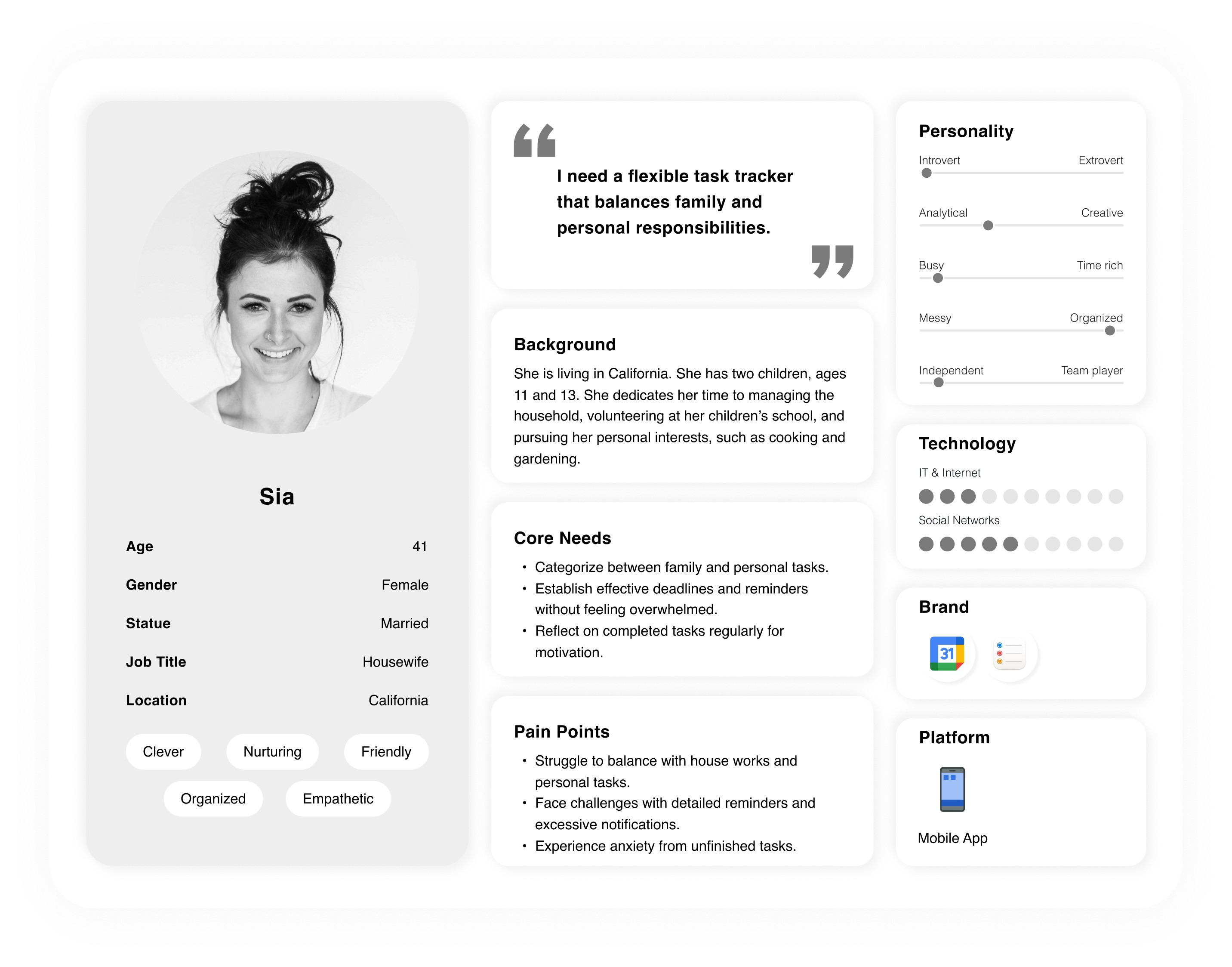
The personas were created based on real participants from our interviews and usability testing. They represent common user types and behaviors in task management: the Time-Constrained Worker, the Overloaded Student, and the Multitasking Housewife. These personas helped guide design decisions by highlighting the diverse needs, goals, and pain points of users in different perspectives.
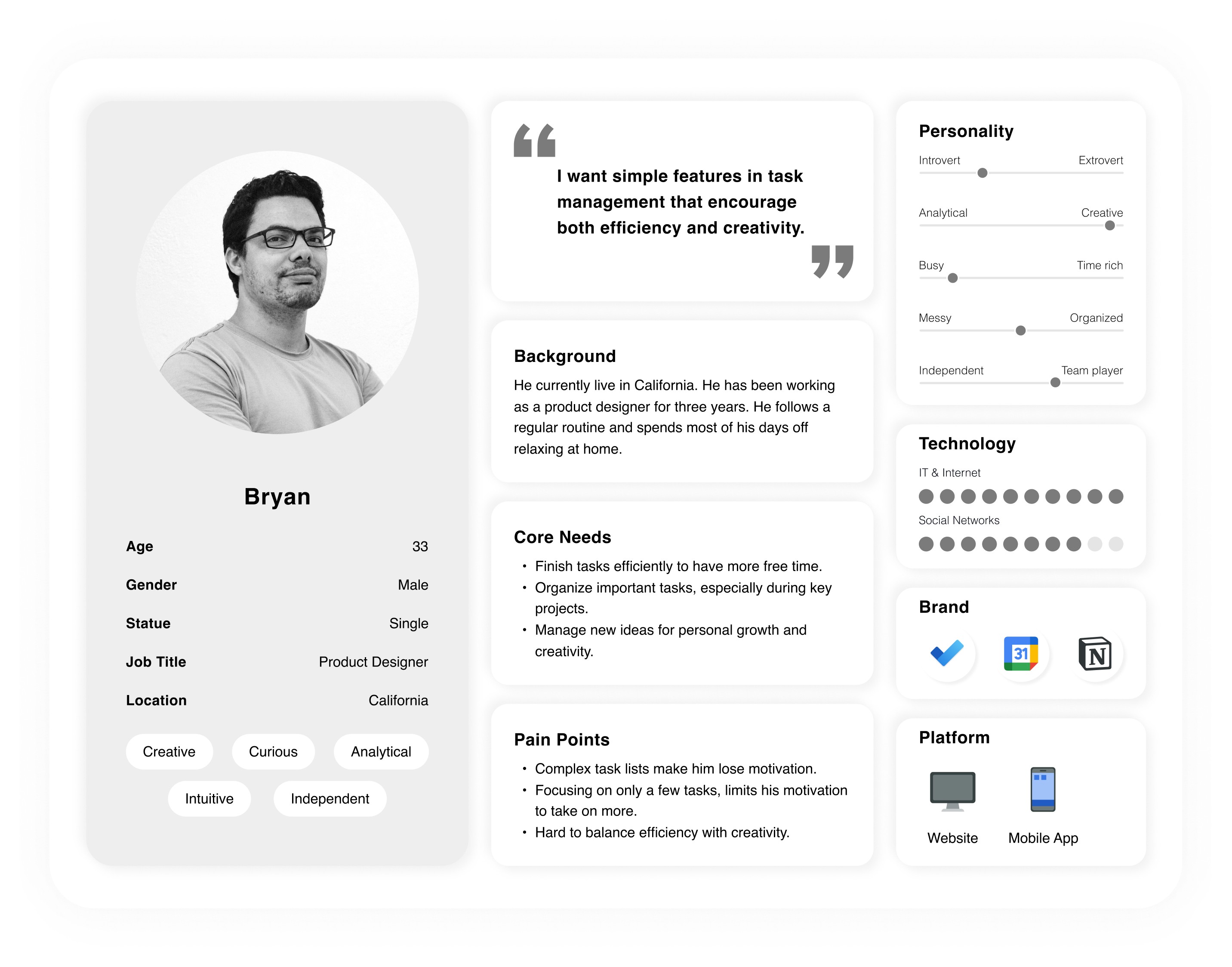
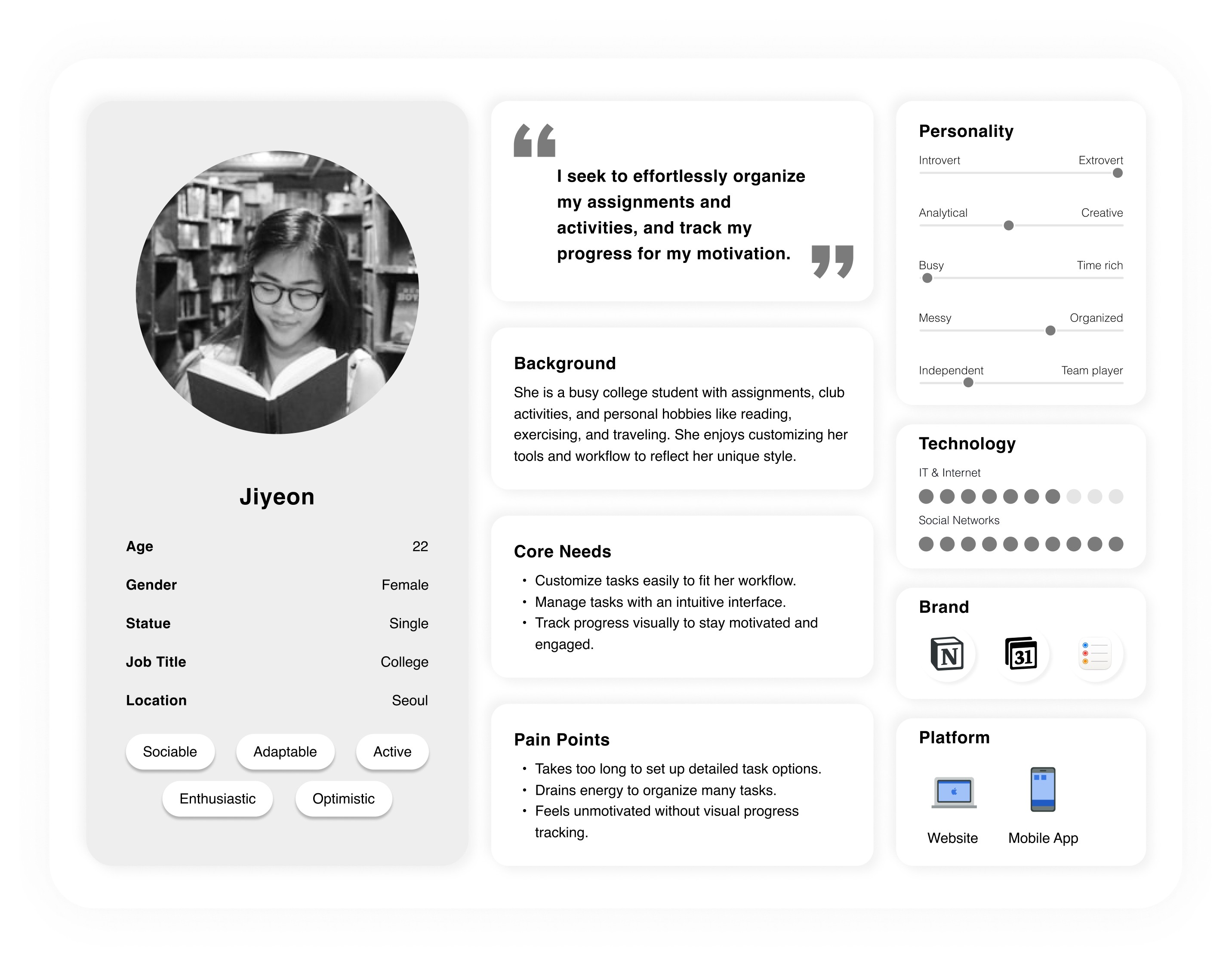
The personas were created based on real participants from our interviews and usability testing. They represent common user types and behaviors in task management: the Time-Constrained Worker, the Overloaded Student, and the Multitasking Housewife. These personas helped guide design decisions by highlighting the diverse needs, goals, and pain points of users in different perspectives.
Brainstorming
Define
Key Features
Task Flow
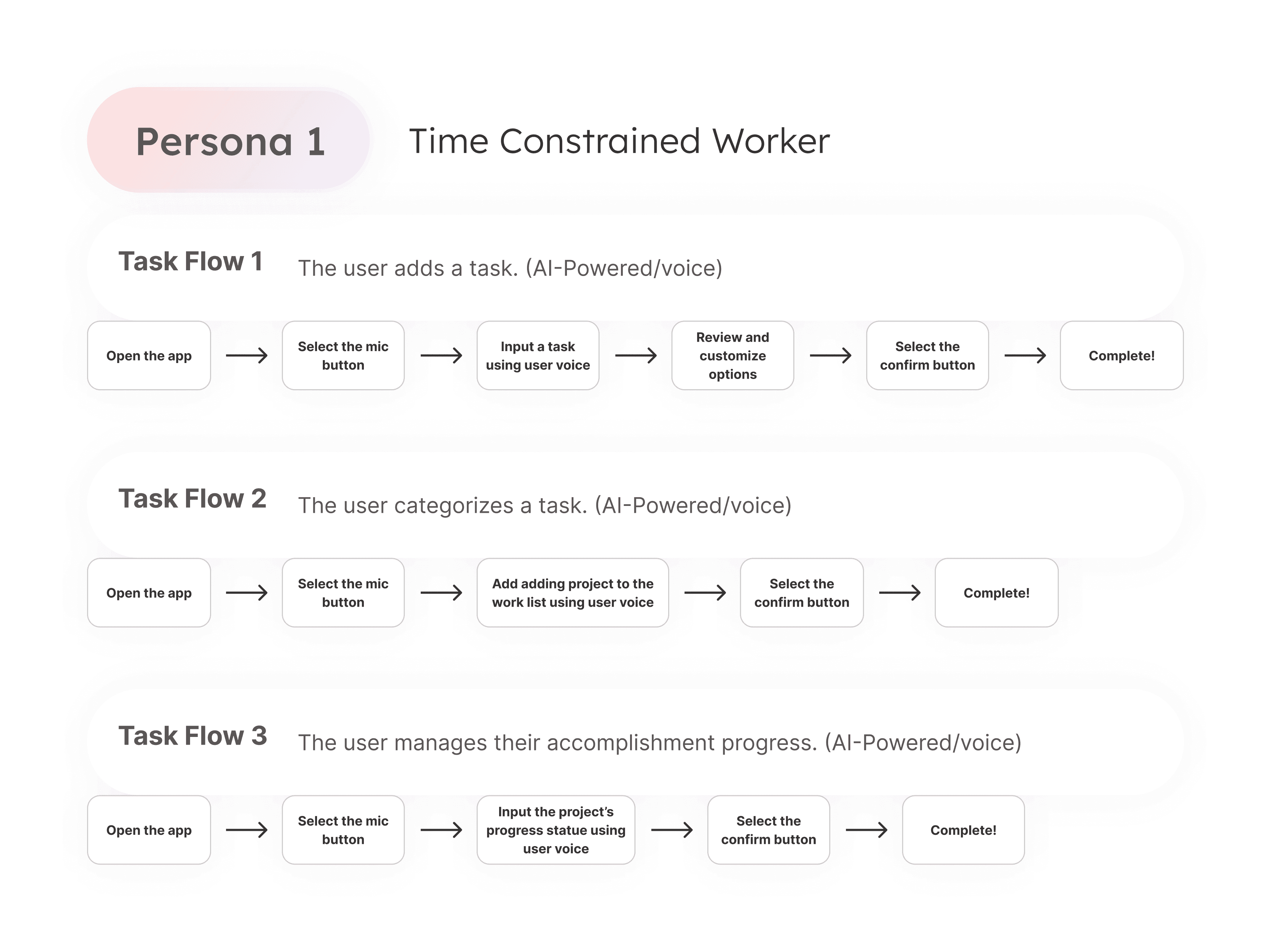
I’ve created three distinct task flows to address the needs and preferences of personas. Each flow incorporates different input methods, AI-powered voice, AI-powered text, and basic input to ensure an intuitive and personalized user experience.
I’ve created three distinct task flows to address the needs and preferences of personas. Each flow incorporates different input methods, AI-powered voice, AI-powered text, and basic input to ensure an intuitive and personalized user experience.
Wireframes
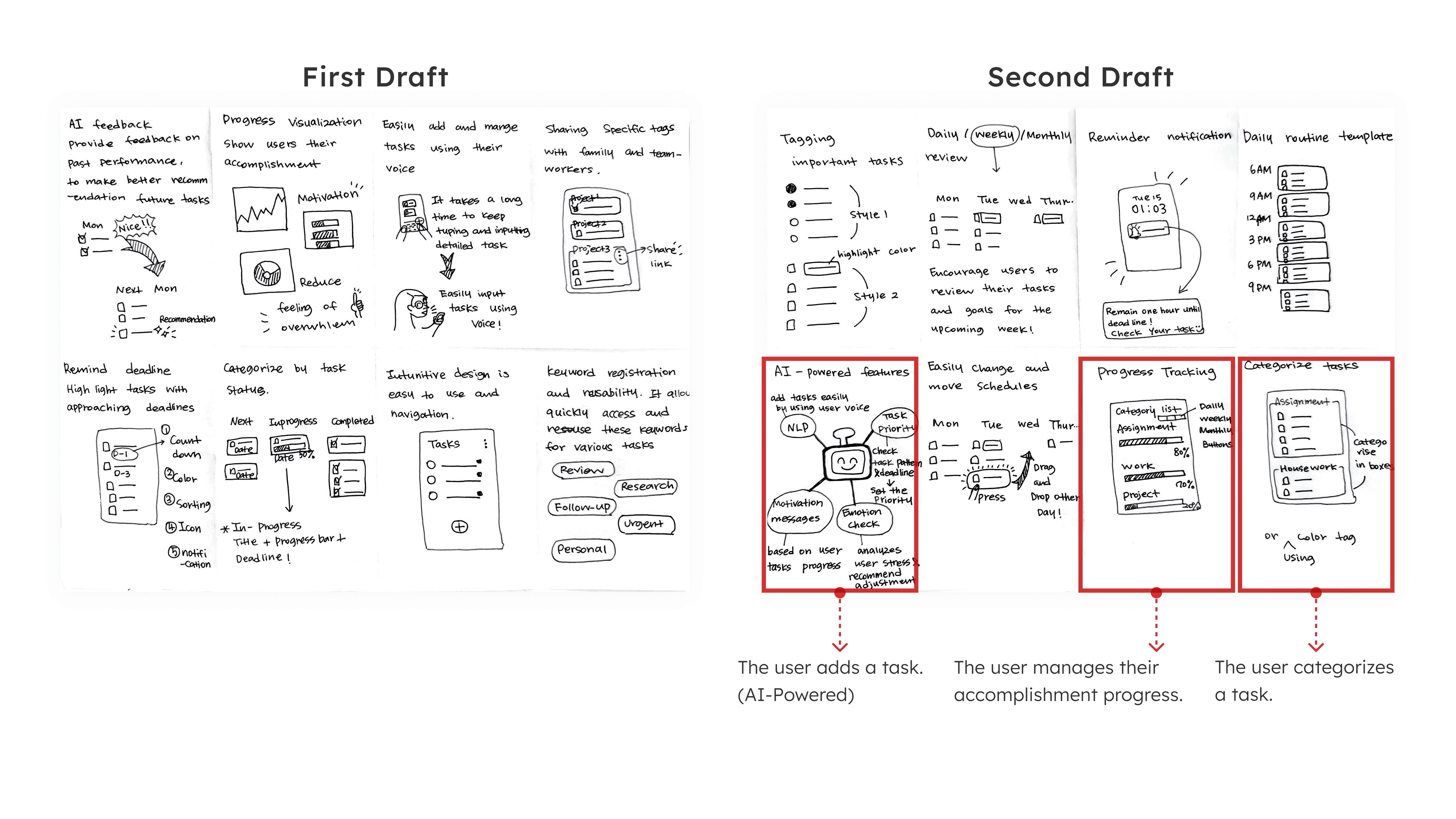
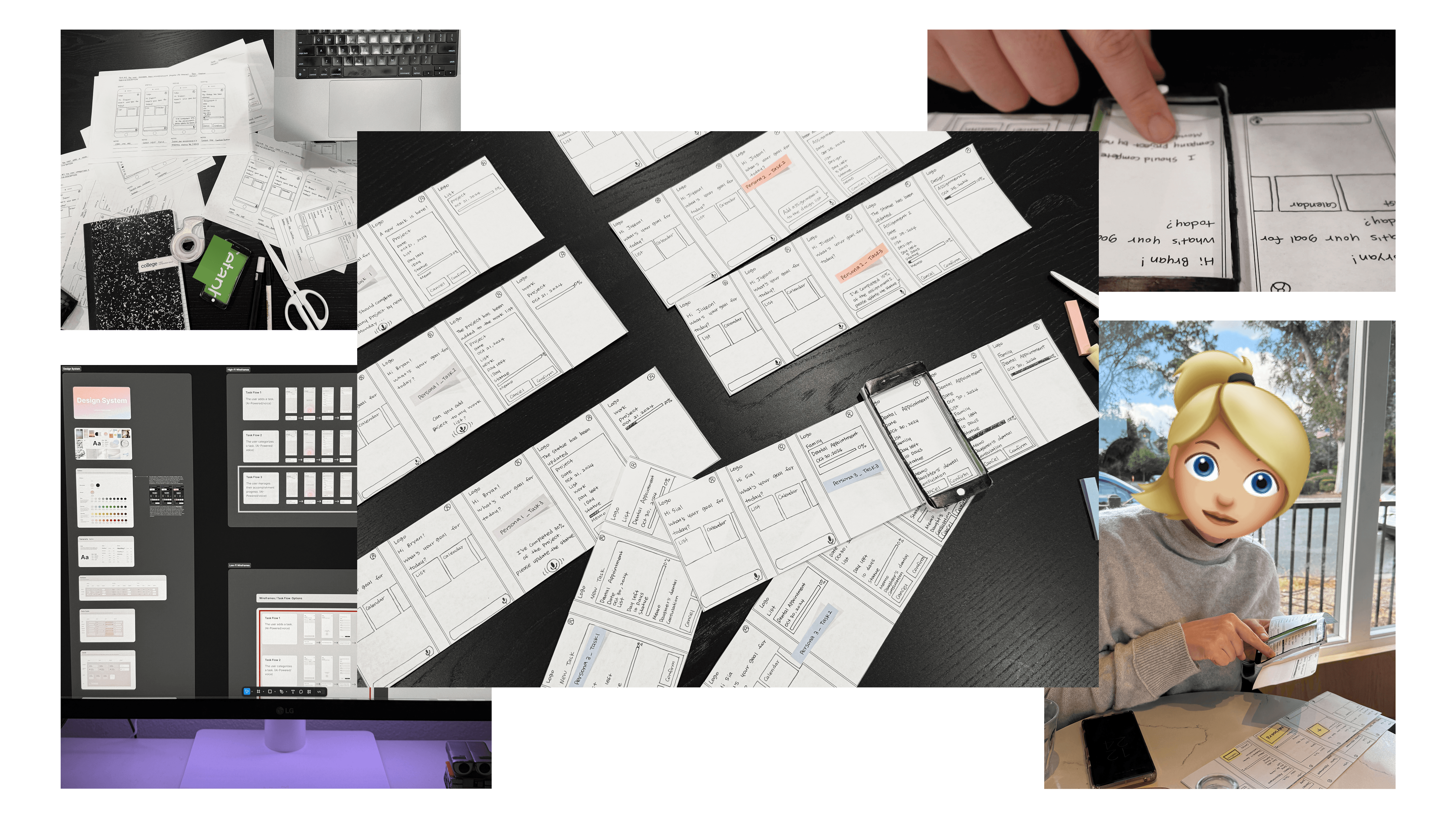
Based on the initial sketches, I created paper low-fidelity wireframes to outline the app's basic layout and functionality. It provides an early prototype, allowing us to quickly test and iterate on key design elements and user flows before moving on to higher fidelity designs. The focus was on capturing the overall structure and layout without detailed visuals, providing a clear understanding of the app's core features and interactions.
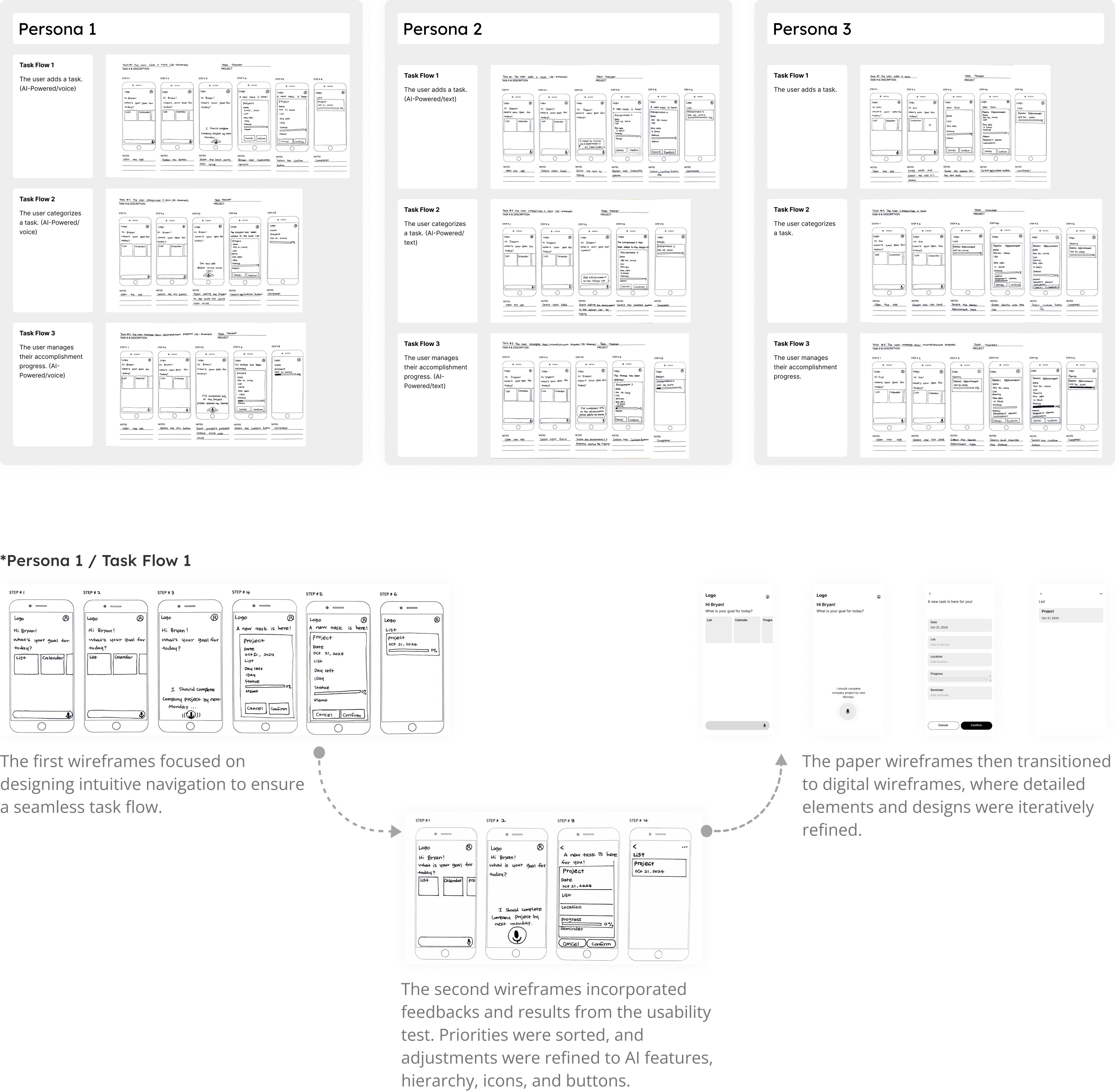
Based on the initial sketches, I created paper low-fidelity wireframes to outline the app's basic layout and functionality. It provides an early prototype, allowing us to quickly test and iterate on key design elements and user flows before moving on to higher fidelity designs. The focus was on capturing the overall structure and layout without detailed visuals, providing a clear understanding of the app's core features and interactions.
Design System
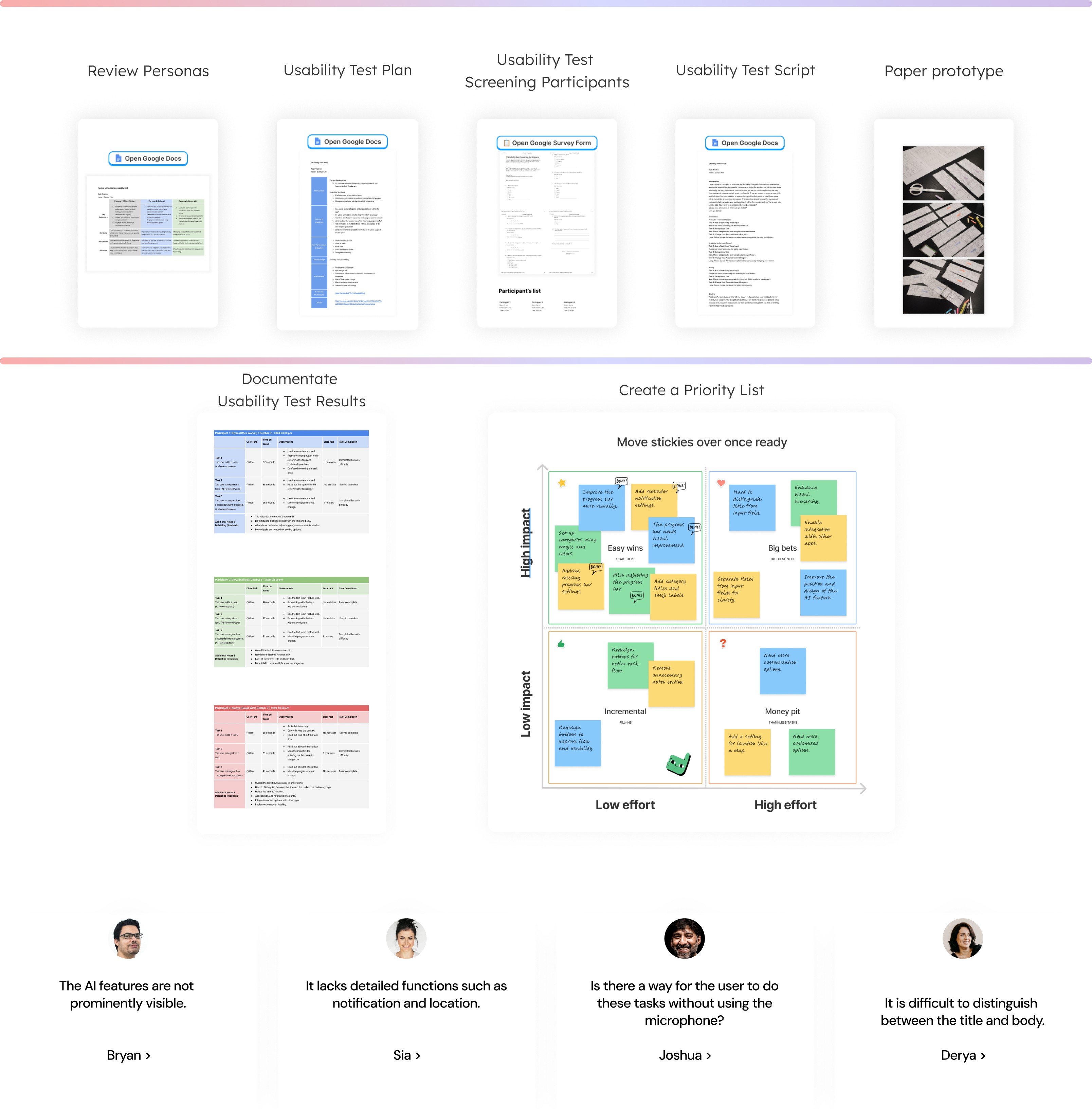
Usability Test
Key Takeaway
01
Mastering the End-to-End Flow
Gained hands-on experience in every stage of the design process, establishing a strong foundation in product design logic.
02
Insights from User Voices
Discovered that true design solutions come from listening to diverse user viewpoints and understanding their real struggles.
03
Refinement through Prototyping
Learned how iterative updates to wireframes significantly enhance both usability and visual design quality.
01
Mastering the End-to-End Flow
Gained hands-on experience in every stage of the design process, establishing a strong foundation in product design logic.
02
Insights from User Voices
Discovered that true design solutions come from listening to diverse user viewpoints and understanding their real struggles.
03
Refinement through Prototyping
Learned how iterative updates to wireframes significantly enhance both usability and visual design quality.